

CASE 02 / 05 · 2025–26 · WEB APP
Inhabitr · AI workspace for interior designers
From an inspiration photo to a spec-ready deck.
Inspire is an AI workspace for interior designers working on custom hotels and housing. I led it from an unused moodboard tool to an AI studio that detects, specs and customizes furniture.
Visit the live product ↗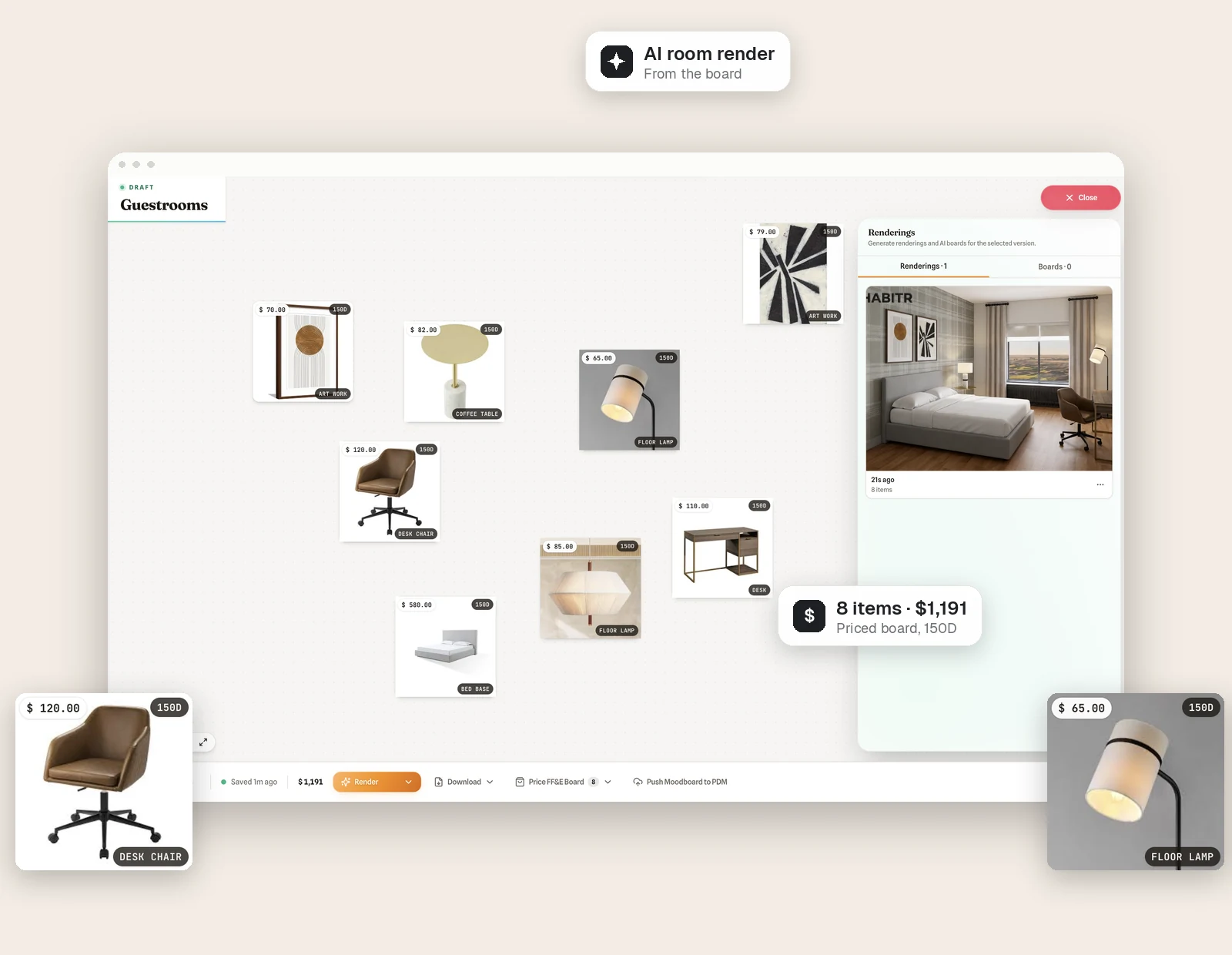
Problem
Interior designers spent 2–3 months per project hopping between moodboards, spreadsheets, vendor sites and decks.
What I did
Led design across an in-house rebuild (V1) and an AI-native V2 where interior designers stay in control.
Impact
+54%
product usage
54% growth in product usage, 45% better procurement efficiency, and spec-ready decks up to 70× faster. About 15 projects furnished through Inspire.
Context and role
Inhabitr furnishes custom hotels, multifamily and student housing. Its in-house interior designers juggle 10+ properties at once on tight budgets, and leadership wanted the same tooling sold to outside interior designers and clients.
I ran 32 stakeholder sessions and 20 usability tests across 7 iterations before V1 shipped.
Goals
What success had to mean for the business and for interior designers.
I framed every design decision against these three, so trade-offs had a clear tiebreaker.
Business goal
Turn Inhabitr’s in-house tool into a product it can offer to outside interior designers and clients.
User goal
Go from a feeling in an inspiration photo to an on-budget, orderable room without leaving one tool.
North-star metric
Time from inspiration upload to a finalized product list, the measure behind the 45% improvement.
Problem
Interior designers had every piece of the job, just never in one place.
In usability sessions with our student-housing interior designers, the same three breakdowns came up again and again.
“I don’t know what I’m supposed to do next.”
No entry point, disconnected steps
“There’s no indication it’s loading. It just feels broken.”
No system feedback, so no trust
“This isn’t a moodboard. It’s just a list.”
Nothing to arrange, present or share
The market gap
Each tool covered one slice of the job, in journey order. Milanote stopped at inspiration. Programa organized boards and specs but didn’t price or order. Wayfair Pro priced and ordered but couldn’t start from an image. Nobody connected an inspiration photo to an on-budget, orderable spec, so that’s where we competed.
| Tool | Inspiration analysis | FF&E boards | Spec sheets | Quote generation | Item purchasing |
|---|---|---|---|---|---|
| Milanote | |||||
| Programa | |||||
| Wayfair Pro | |||||
| Inspire (V2) |
Strategy
Prove the core loop in-house. Then make it AI-native.
Our own interior designers were the fastest feedback loop, so V1 nailed sourcing and presenting with them. V2 rebuilt the flow around AI with interior designers in control.
Version 1
One guided flow, built with our own interior designers.
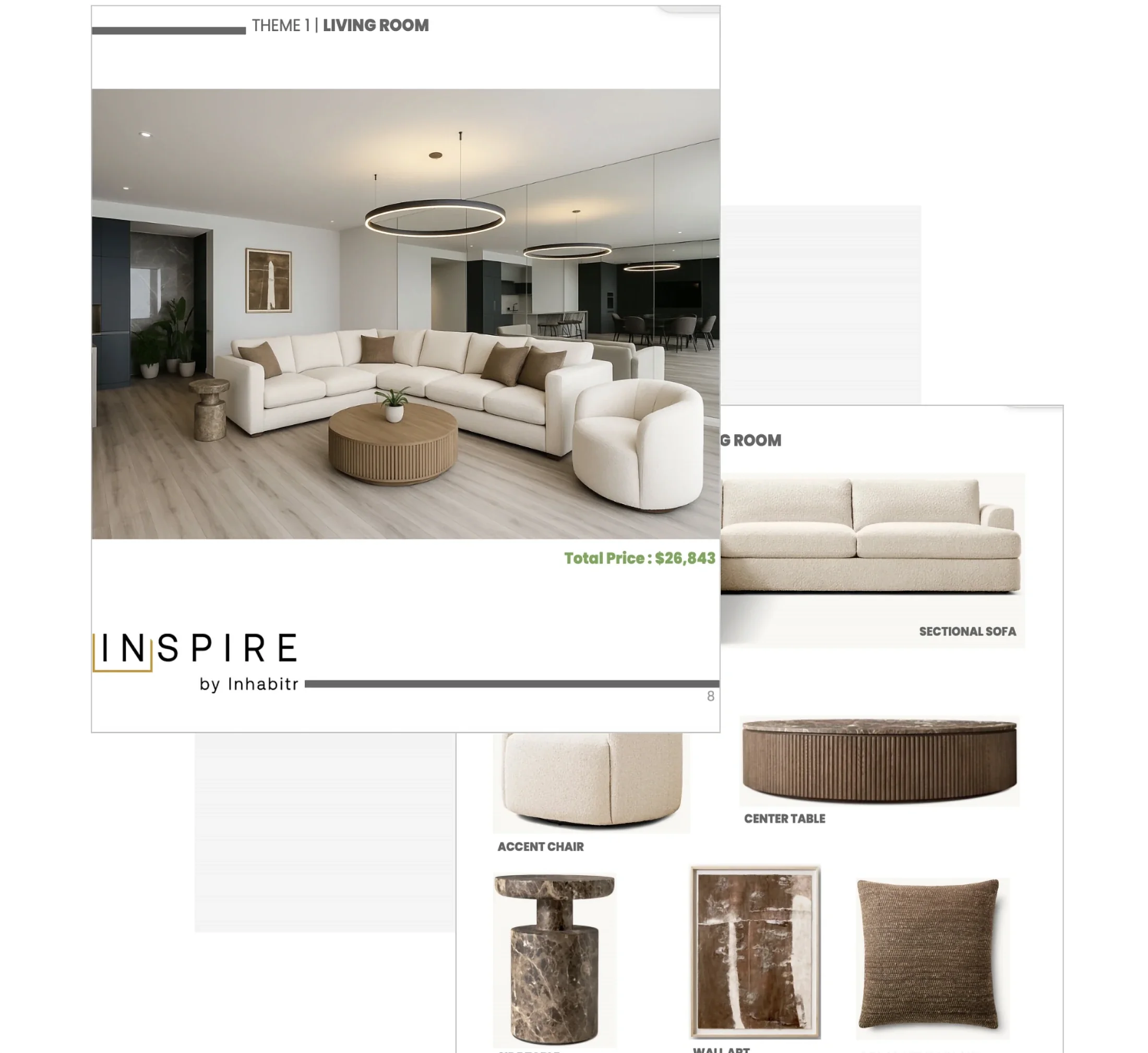
Upload an inspiration image, let AI detect the furniture, review matches, modify products and export specs. It took deck work from months to a day, and showed us where AI could do far more.
What V1 taught us
V1 proved the loop. Its gaps became the V2 brief.
V1 cut deck work from months to a day and grew usage 54%. Testing it with our interior designers also showed exactly where it fell short.
Version 2 · Key decisions
An AI studio where the interior designer stays in charge.
V1 already had AI detection and product modification. V2 added the rest of the job: an interactive FF&E board workspace, moodboard renderings, room staging, 3D models, line drawings, projects with sidebar navigation, team management and client invites. It also turns any board into an AI client moodboard and stages products in a real room. Five decisions kept it trustworthy.
Decision 1
AI proposes, the interior designer confirms
- Why
- In V1, results “didn’t make sense” because interior designers couldn’t say what they wanted.
Read more
Now Inspire lists every piece it detects in each inspiration, and interior designers tick only the items they want to source. - Trade-off
- An extra step, so I made it fast: browse by inspiration or by category, select all, or add a missed item with manual detection.
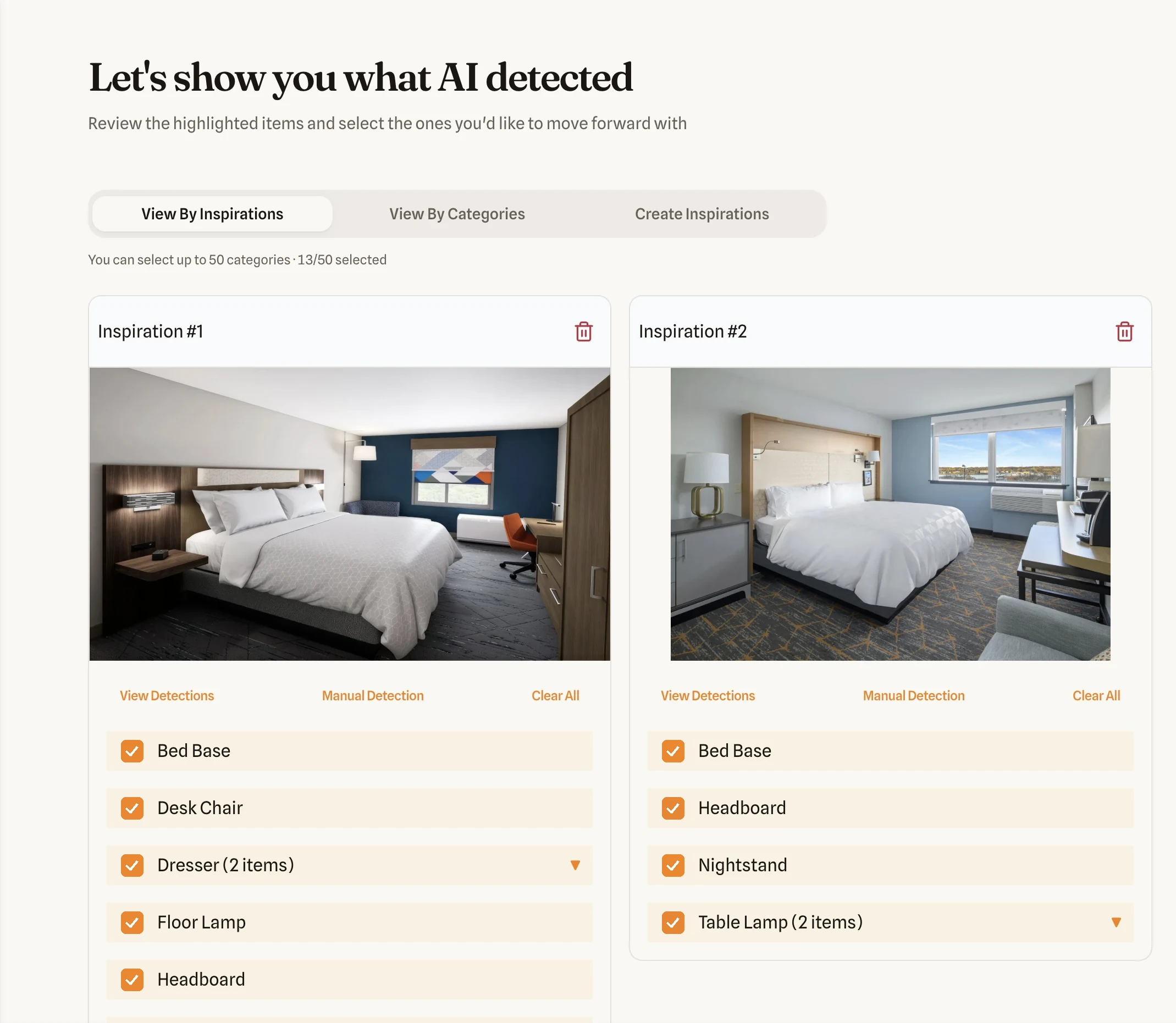
- Auto recognition scans each upload
- Bounding boxes show what was found
- Pick up to 50 categories across images
Decision 2
Confirm specs before spending a cent
- Why
- Matching on a guess wastes everyone’s time.
Read more
Each selected item gets a full spec card (dimensions, materials, fire rating) that interior designers can edit or adjust with AI before setting a budget. - Trade-off
- One more screen in the flow. The breadcrumb keeps it from feeling long: Detection, Specs, Budget, Items.
Decision 3
Budget and lead time come first
- Why
- Hotel and housing projects live or die on budget and install date.
Read more
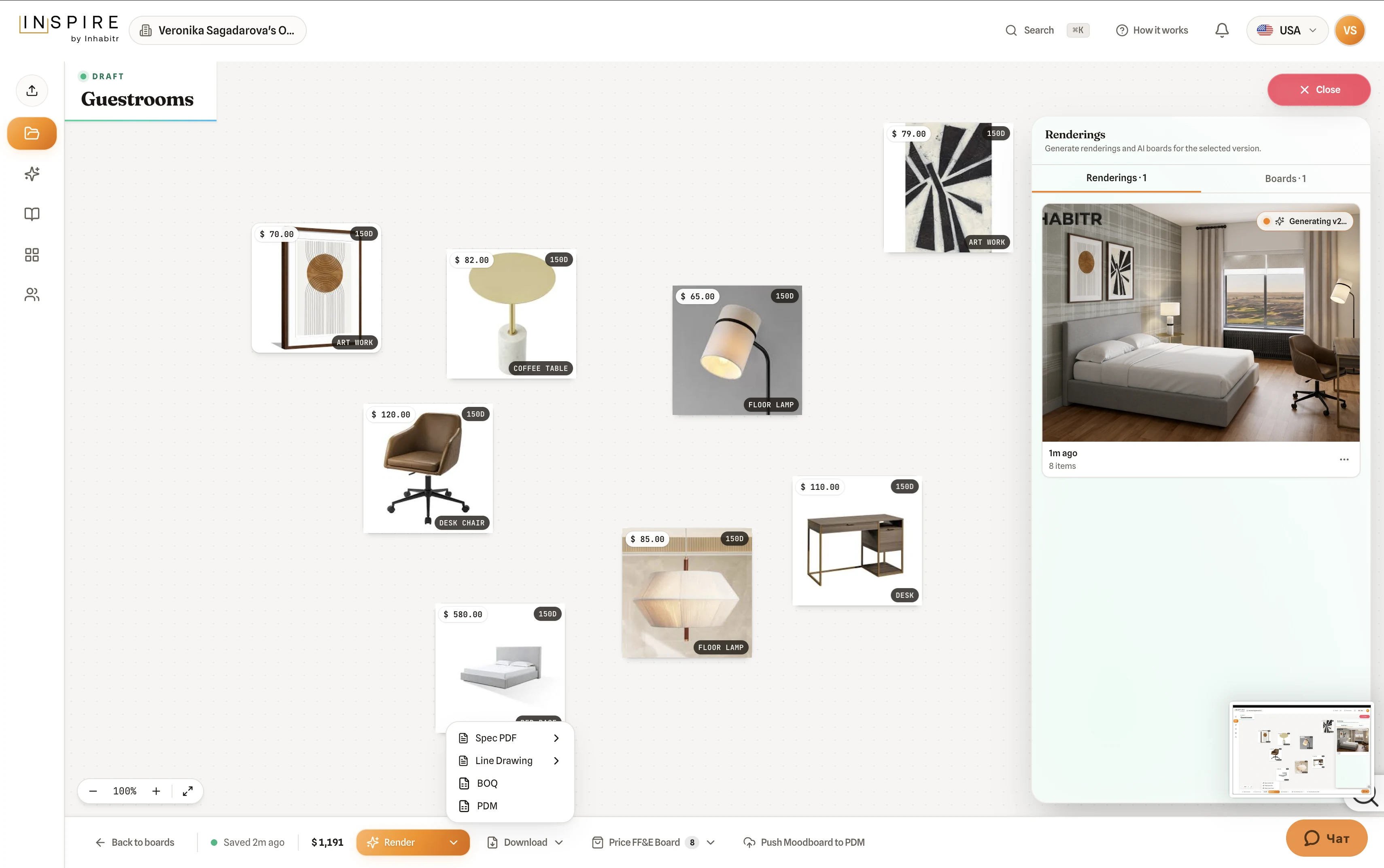
Every product carries its price and lead time (45 or 150 days), the library filters by lead time, and the board prices itself into a quote with a subtotal. - Trade-off
- Narrower results.
Read more
Ranges start from the catalog’s real min and max, so most interior designers only nudge them.
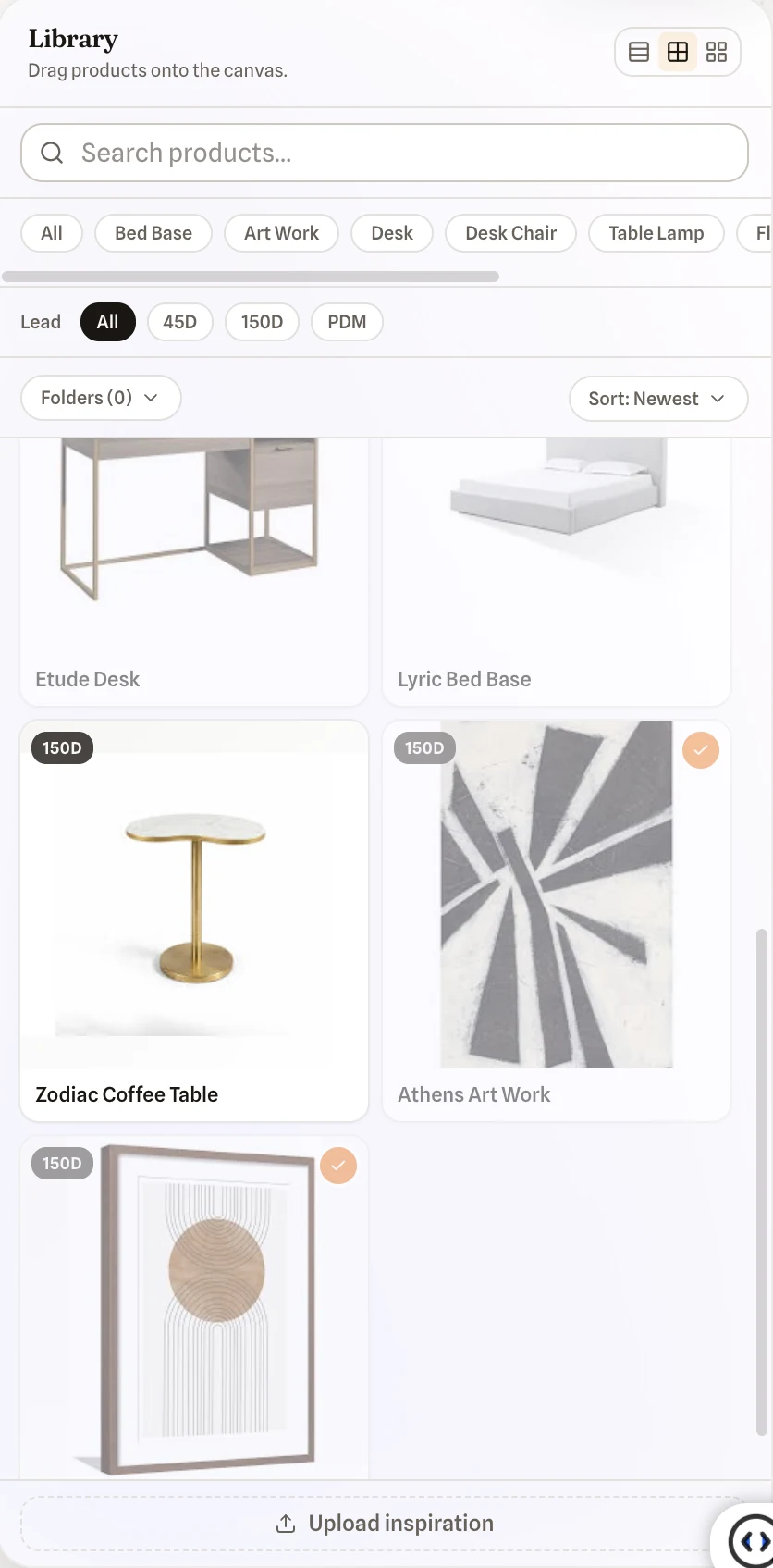
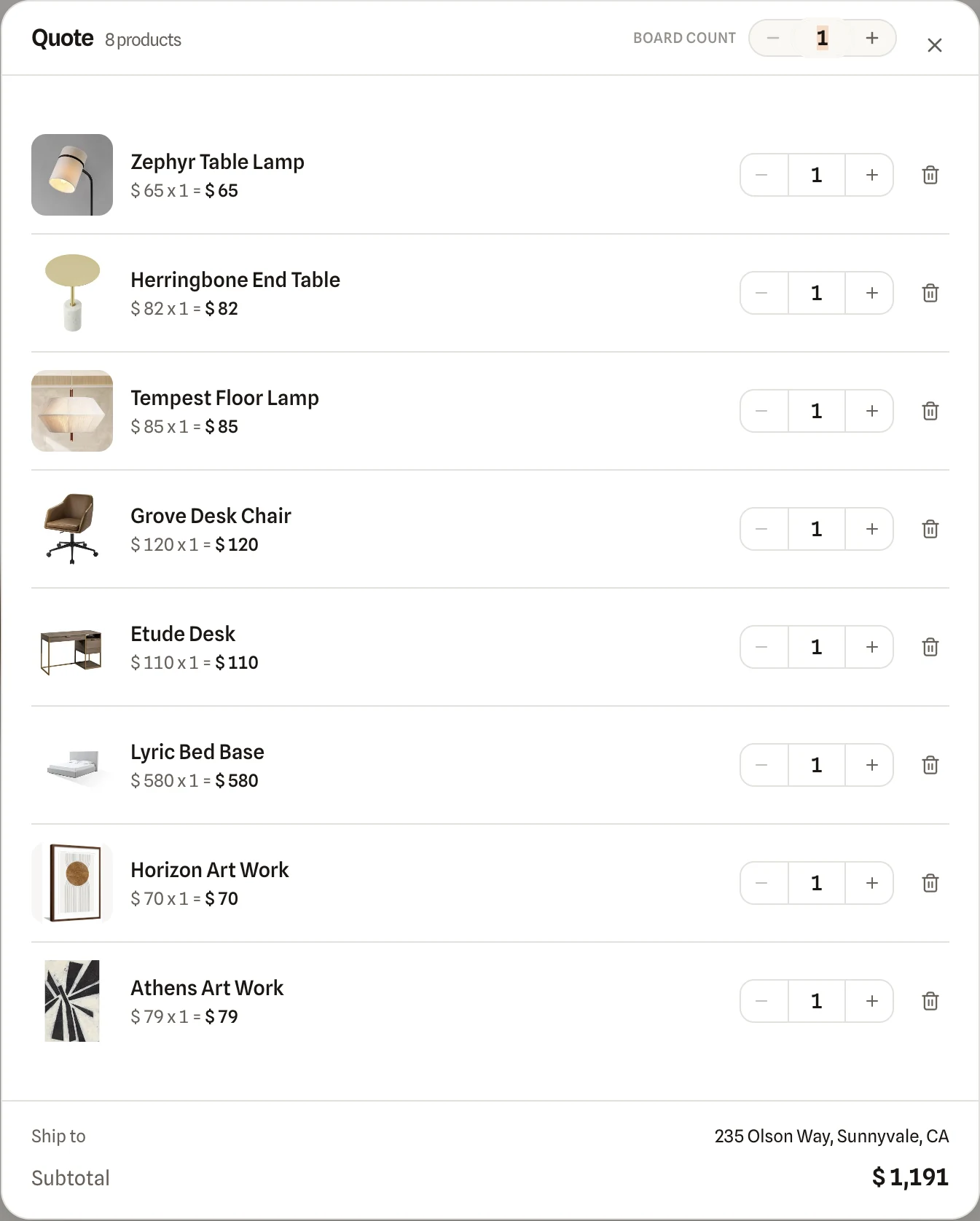
Adding a product files it in a library folder named after its category, with a confirmation toast and an inline “building specs” state.
Decision 4
Edit the room in plain words
- Why
- Interior designers rarely accept a first render.
Read more
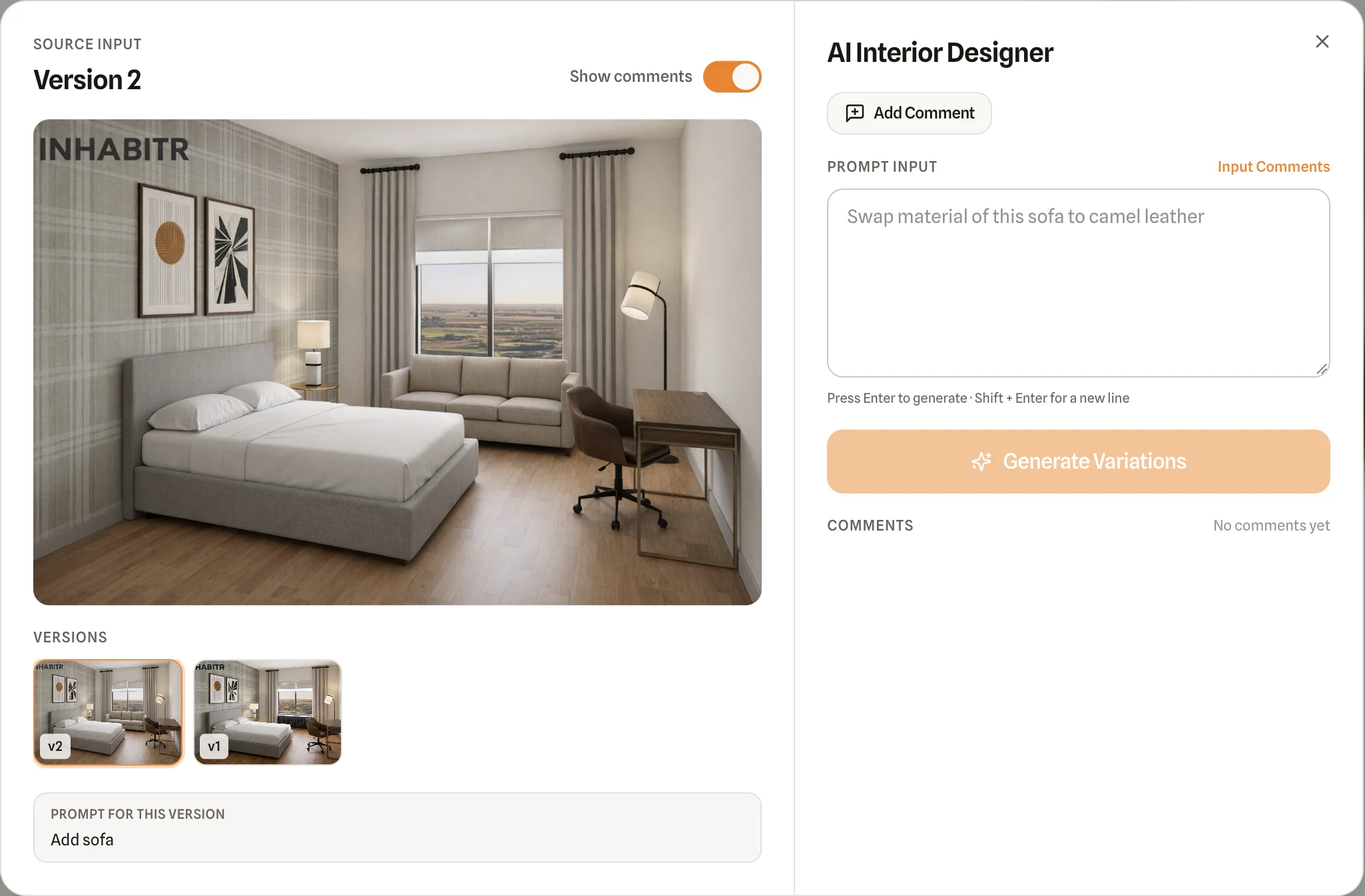
They can describe a change in plain words (“change color to gray”), switch or upload a swatch, and generate dimensioned line drawings for the manufacturer. - Trade-off
- AI edits can drift from what is buildable, so every version is labeled and its prompt stays visible next to it.
Decision 5
Slow AI never blocks the interior designer
- Why
- “It just feels broken” came from silent waits.
Read more
Every AI step now names what it is doing, and long jobs like renderings show “Generating v2…” and keep running while the board stays usable. - Trade-off
- More states to design and build: I specified loading, progress, background and done for every AI feature.
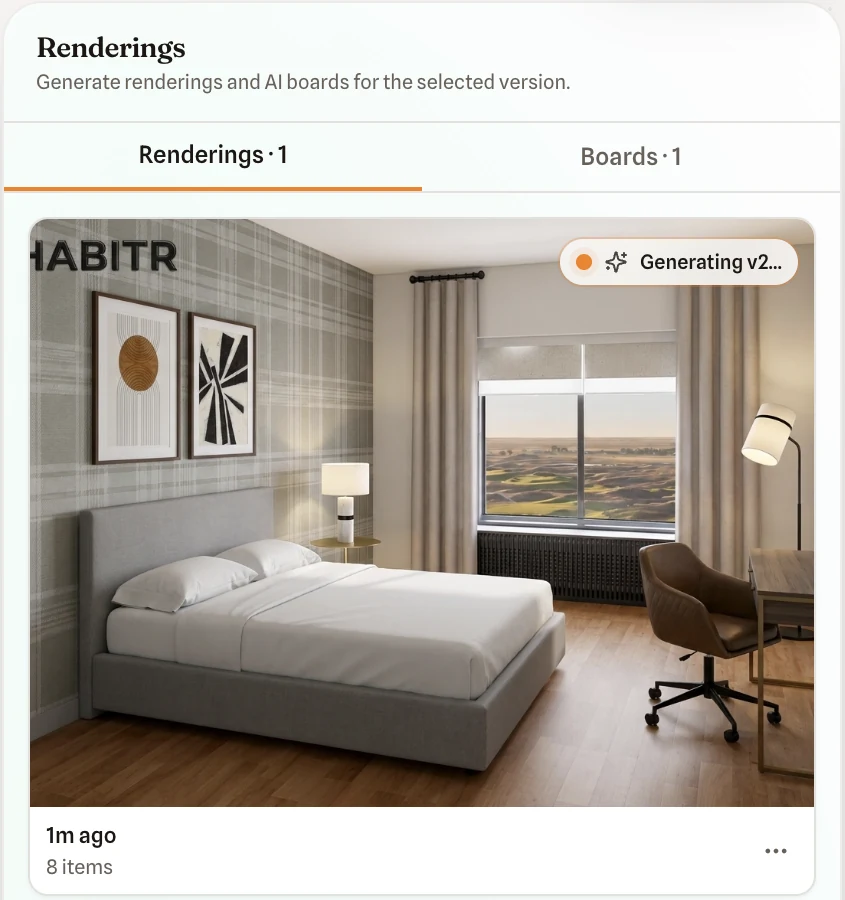
AI360 Preview: view, build, segment. Generation continues in the background.
Impact
~15
projects furnished through Inspire by our in-house interior designers
Up to 70×
faster design output: spec-ready decks in under 24 hours vs 2–3 months through traditional processes
54%
growth in product usage after the redesigned experience
45%
improvement in procurement efficiency, measured by time from inspiration upload to finalized product list
By bringing inspiration, product discovery, selection and specification into one AI-assisted workflow, I helped reduce fragmentation across the design process and make procurement more efficient.
Tracked with Google Tag Manager and Analytics.
“Our designers made this deck in less than 24 hours using Inspire. Traditionally, this would take months.”
Reflection
Good AI design is mostly about trust.
What worked
Treating in-house interior designers as design partners, and giving every AI output a way to check, edit or undo it.
What I’d do differently
Put V2 analytics in place before launch, and test with external clients earlier instead of using internal interior designers as proxies.
What’s next
We’re planning the rollout to external interior designers. After that: design versioning for client feedback rounds and live inventory with minimum order quantities.

Got a complex product that needs to feel simple? Let’s talk.
Open to product design and UI/UX roles in AI, SaaS and complex workflows. Bay Area or remote.